How do my guests access their RSVP?
Your guests can access your RSVP forms on your Hey Wedding Day website in several different ways:
- Searching by name
- Entering a passcode
- Using a magic link
- Scanning a QR code
Searching by name
Guests can search for their party by entering their name. Even a first name is usually enough (e.g. searching John will match John Smith).

Matching results are grouped into parties. Guests simply select their party to continue.
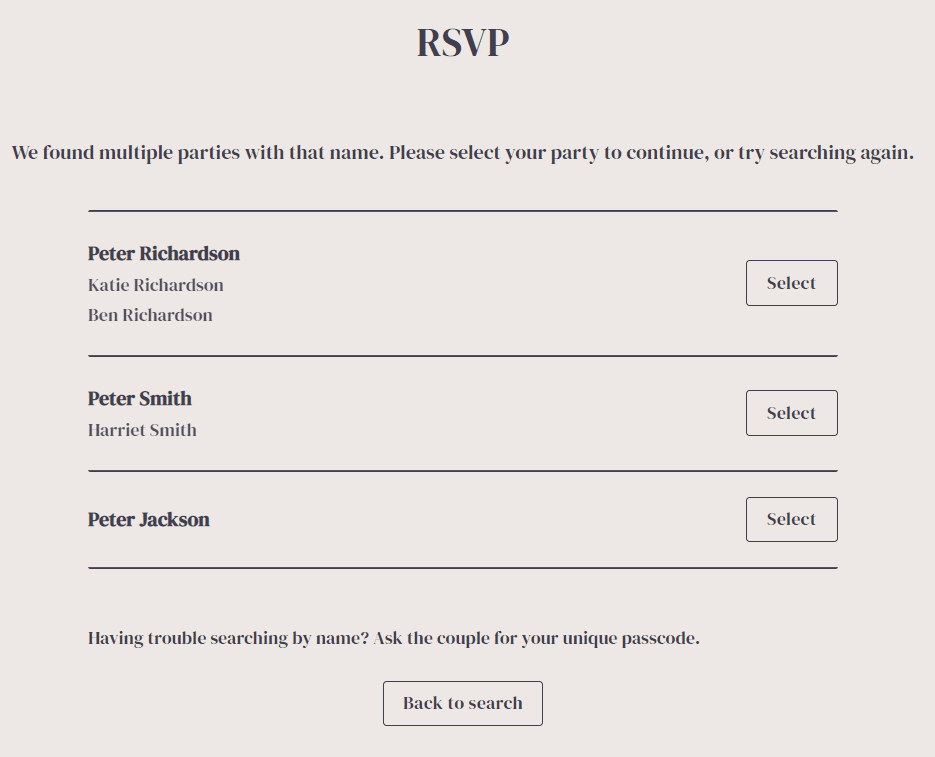
To enable guest name search, enable Allow guests to sign in using their name in your website settings.
Open invite option
If enabled on an RSVP form, guests who are not on your guest list can still continue by entering their details.This is useful if:
- You don’t know all guest names in advance
- You are running a more open or informal event
You can enable this per form via: RSVP Forms → Form → Settings → Allow guests to respond that are not on the guest list.
Please note: If you enable this, new guests will be added to your guest list when they submit a response.
Using tags with multiple RSVP forms
If you have multiple RSVP forms (e.g. Ceremony, Dinner, Stag Do), we strongly recommend using guest tags to control who can see each form.
For example:
- Ceremony → visible to all guests
- Stag Do → visible only to tagged guests
This is especially important when using open invite forms, as newly added guests may otherwise gain access to forms you didn’t intend.
Entering a passcode
Each party has a unique passcode which can always be used to access their RSVP.
Please note: This passcode is different from any password you set for your RSVP page.
More information can be found here.
Using a magic link
Each party can be given a unique magic link that takes them directly to their RSVP.
Enable this in the website settings, then copy the link from Guest Management.
Using a QR code
Each party can also access their RSVP using a unique QR code.
See here for QR code instructions.For an overview of the guest experience and response tools, explore our online wedding RSVP feature.