How do I collect guest details with Guest Collector?
Guest Collector is a public form you can share before sending formal invitations. It lets guests provide their names and contact details for you to review. Once approved, the new guests and their contact details are added to your guest list.
Set up your form
- Go to Guest Management and select Guest Collector.
- On the Form tab, write a short message explaining why you need their details.
- Choose whether to collect email addresses, telephone numbers and postal addresses.
- Enable family/party collection if one person should be able to enter details for other members of their household.
- Choose whether to show your event date, link to your wedding website, and select a colour theme.
Enable and share Guest Collector
- Open the Settings tab and turn on Enabled.
- Save your changes.
- Use Open link to check the form, then select Copy link.
- Share the public link by email, text message or another private group.
Guests submit their details
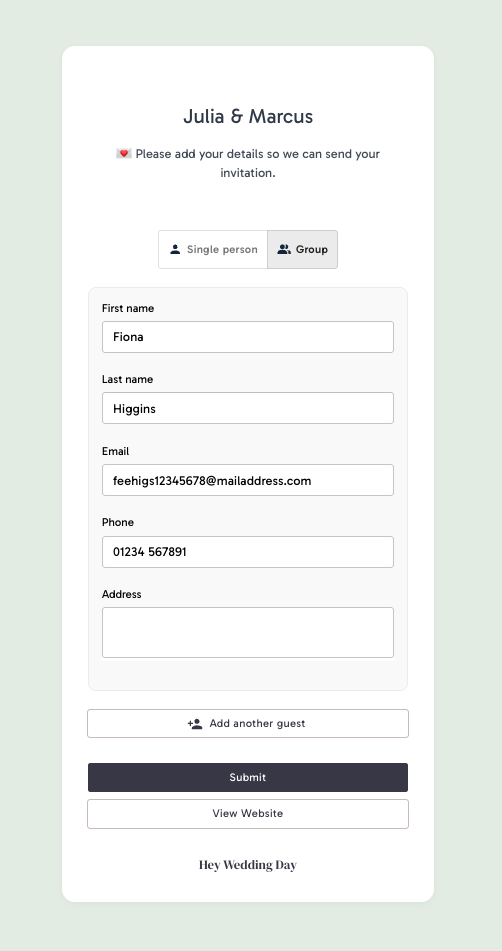
Guests open your link, enter the details you requested and submit the form. If party collection is enabled, they can include more than one guest. Submissions are not added to your guest list until you approve them.
Review submissions
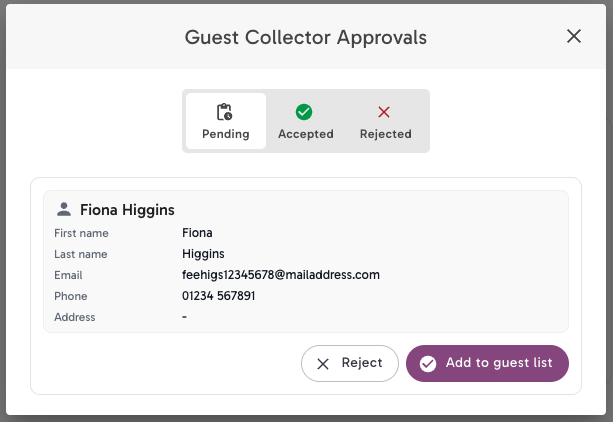
New submissions appear in Guest Collector approvals on Guest Management. Review each submission and choose:
- Add to guest list to create a party using the submitted details.
- Reject to keep it out of your guest list. Rejected entries remain available on the Rejected tab.
Guest Collector or Open Invitation?
Guest Collector is a handy way to build your guest list and collect everyone’s details before you send invitations or open your RSVPs. Later, Open Invitation can let new guests add themselves while they RSVP. You can use either feature on its own, or use both together - whatever suits your plans.
Learn about Open Invitations.When you have finished collecting details, disable Guest Collector so the form stops accepting new submissions.